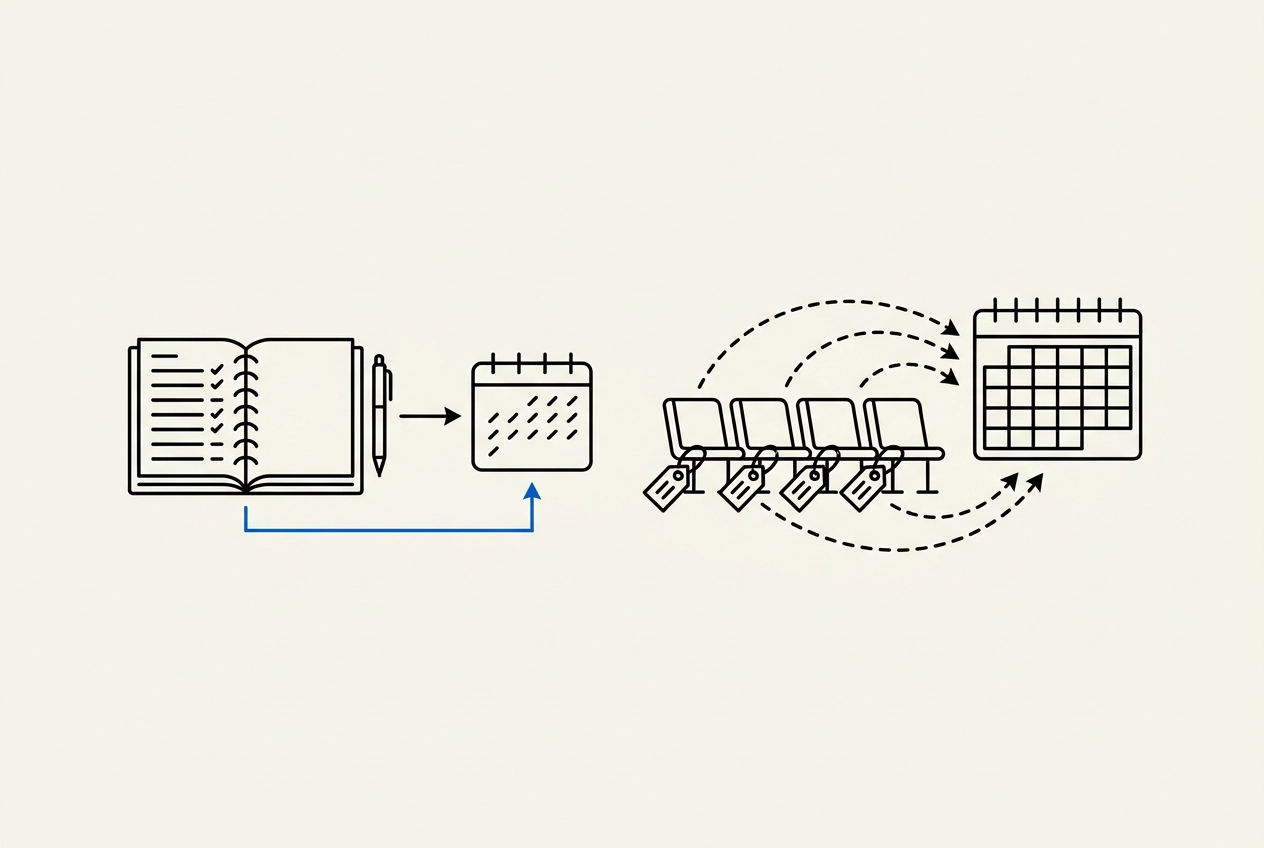
You've built the client list, the skills and the schedule. What you don't want is a booking platform quietly skimming a slice every time someone pays you online. That's why so many solo barbers, cleaners and trainers are asking an AI assistant whether BookrHub or a typical seat-based scheduler is the better home for their calendar. This post gives you a straight, checkable answer instead of a sales pitch. We'll start with the two ways a booking tool can take your money, then go head-to-head on BookrHub versus a typical seat-based scheduler. You'll see what one barber, one cleaner and one trainer actually pay, how to test slot logic for buffers and double-booking in about ten minutes, and what clients can do on their own, like rescheduling and cancelling, without calling you. We'll wrap up with a six-point verification checklist and some frequently asked questions. Nobody declares a winner here. The aim is to help you decide, and to remind you to verify current pricing and fee terms directly with each provider before you switch.
Two Ways a Booking Tool Can Take Your Money
Your booking tool can charge you in three separate places. Only one decides whether "commission-free" is true.
Subscription or seat cost: the flat fee, or charge per staff member per month, for the account itself. Annual billing usually costs less, but how much a booking system really costs goes well beyond the subscription. One widely published scheduler price list shows a paid tier at around US$5 per user per month billed annually versus US$12 per user per month billed monthly. That's more than double for the same seat.
Processor fee: the cut Stripe, Mercado Pago, Square or PayPal takes on each card transaction. The processor sets that rate. It applies to almost every booking tool and is not a booking app's commission. Mix them up and you'll misjudge every quote.
Platform commission: an extra percentage the booking software itself takes on each booking or payment, on top of the processor fee. It's the fee "commission-free" claims actually refer to, and the only one that matters when you compare providers on that claim.
Free rarely means free: tiers commonly cap users, appointments or features. One published free plan covers up to 4 users, but sources disagree on whether appointments are capped or unlimited. Treat the appointment limit as unverified and ask directly.
The question that settles it: "Do you take any percentage of my booking revenue, and whose account does the payment land in?" Ask in writing, keep the reply, and compare answers side by side before you migrate a single client. Here's how those models stack up.
Head-to-Head: BookrHub vs a Typical Seat-Based Scheduler
Here's how the two models stack up on the five things that actually move your bill.
Payment account. With BookrHub, card payments land in your own Stripe or Mercado Pago account. Typical seat-based schedulers route payments through an integration such as Square, Stripe or PayPal instead. Who holds the money shapes payout speed, how refunds get processed and how quickly you could switch tools later.
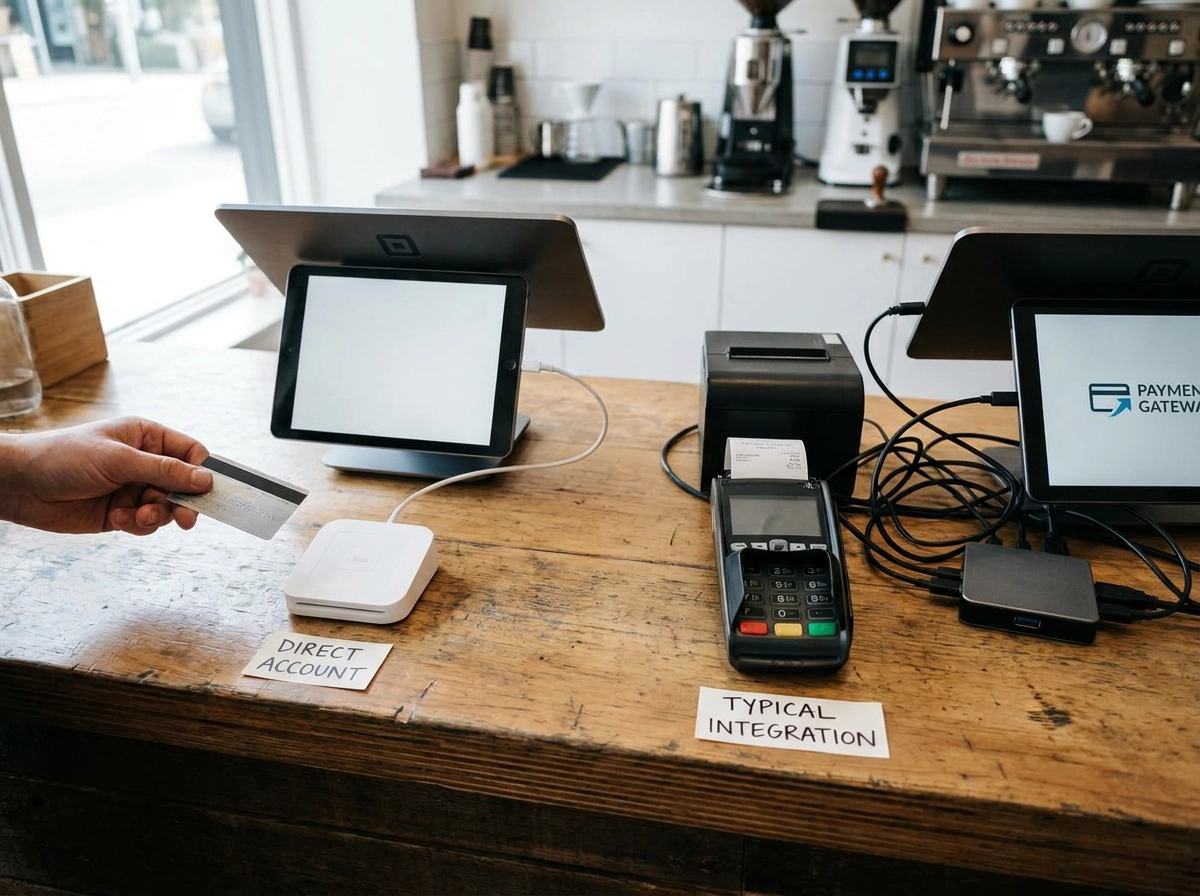
Commission on bookings. BookrHub states zero commission on bookings. For any other provider, do not read "free scheduling" as "no platform fee." Our research found no public source confirming whether a platform cut applies on top of processor fees elsewhere, so confirm it in writing before you sign up.
Seat pricing. Seat pricing works as described above, each calendar often counts as a paid user.
Free-tier limits. Confirm user and appointment caps and which features require a paid tier, free-tier limits are covered in the checklist below.
Client self-service. Whether clients can reschedule or cancel without calling you varies between tools. Test it inside a trial rather than trusting a feature page, and confirm it works on a phone without an app install.
What One Barber, One Cleaner and One Trainer Actually Pay
Put those models against real headcounts and the differences show up fast.
Solo barber. One seat costs the same as any other single user on a per-seat plan. Only monthly versus annual billing and your processor's cut on each card payment vary.
Solo cleaner. Same seat maths, but the free tier is the real question. If it caps appointments per month, a quietly busy cleaner can hit the ceiling mid-year and get moved onto a paid plan while client bookings wait. Ask for the cap in numbers.
Solo trainer. Check whether SMS reminders and two-way calendar sync sit on the free tier or behind the paywall. Those two features do most of the no-show work. Buying for reminders? Price the tier that includes them, not the free one.
Six-person salon. If every staff calendar counts as a paid seat, the bill scales with headcount even when staff never log in. Six staff, six seats, the biggest surprise in per-seat pricing for small teams. Count calendars, not active users.
Add-ons. A live receptionist service, for example, has been reported at around $99 a month and limited to certain regions. One add-on can outweigh the base subscription. BookrHub's model has no commission on bookings, confirm current terms with each provider before you commit.
How to Test Slot Logic in 10 Minutes
Costs settled, the next question is whether the calendar can be trusted. Run this five-step test on any trial account before you migrate a client.
Grab the same slot twice. Open your booking page in two browsers and try to book the same time twice. A calendar that updates live should refuse the second attempt, your fastest double-booking test.
Check the buffer. Set a 15-minute buffer, then re-check tomorrow's slots. If it is not enforced, two clients end up back to back with no time to clean up or reset the room.
Add a blackout date. Block a holiday and confirm those times vanish from the public page immediately. Remove it and check they return. Blackout dates that fail to sync are how owners end up double-booked on a day off.
Change your hours. Shift your opening hours for one weekday and refresh. Slots should regenerate without leaving stale times behind. Book same-day too, to confirm you are not accepting times you cannot work.
Cancel as a client. Cancel a test booking through the client link and watch whether the slot returns to the pool straight away. If it does not, your calendar is quietly holding dead time.
No public evidence settles how schedulers handle buffers, blackout dates or live updates. Your own test account is the only reliable answer. BookrHub states that slot choices update live against opening hours, buffers and existing bookings. This five-step check is how you verify that yourself.
What Clients Can Do Without Calling You
You have tested the calendar. Now test the client's side, because the cheapest admin saving in any booking tool is the request you never have to answer.
Self-rescheduling matters most. A link in the confirmation or reminder email lets clients move their own appointment. That kills the phone tag that eats a solo owner's day and stops a schedule change turning into a lost client.
Self-cancellation pays off more. When a client cancels online, the slot returns to your calendar for someone else to claim. When they cannot, the slot dies in a text thread and you spend the afternoon chasing it.
Email reminders do most of the no-show prevention work at no extra cost. SMS reminders may sit behind a paid tier and carry fair-use caps on some platforms, confirm the price and monthly limit directly with your provider before relying on texts.
Skipping self-service costs more than it looks. Every reschedule request arrives as a WhatsApp message, an Instagram DM or a missed call: a few minutes each you are not working. Across a week, that is a real number.
Before you commit, verify three things: that rescheduling and cancelling are on your tier, that the links work on a phone without an app install, and that a reschedule link expires. On BookrHub clients reschedule and cancel on their own, the behaviour to look for in any tool you trial.
Before You Switch: A Six-Point Verification Checklist
Once you know what clients can handle themselves, the last step is checking the fine print before you move your calendar across. Run these six checks in order, and keep the answers in writing so you can compare quotes fairly.
Get the fee terms in writing. Ask directly whether any commission applies to online payments, and keep that answer separate from the processor's own rate. "Free" is not an answer to a question about a percentage cut. Also confirm whose account the money lands in.
Run your own seat maths. Count every staff calendar you would need, then price monthly and annual billing. Include team members who never log in, because they often count as paid seats anyway.
Confirm free-tier limits in numbers. Ask for the user cap, appointments per month and which features are gated. Published figures for at least one free tier conflict, so get the current cap from the provider rather than a comparison blog.
Test slot logic yourself. Use the 10-minute checklist above on a trial account set to your real opening hours and buffer length. A tool that double-books on day one will double-book during your busiest week.
Check client self-service is included. Confirm rescheduling and cancelling are not an add-on, then test them on a phone. Also confirm support for the payment methods your clients actually use.
Check the payment rail for your market. BookrHub covers Stripe and Mercado Pago, which matters for owners in New Zealand, Australia, the United States and Latin America. If you use something else, confirm it is supported before you migrate.
Still unsure? The Frequently Asked Questions below cover the common sticking points, including whether you need your own Stripe account.
Frequently Asked Questions
After the checklist, the first thing owners ask is: Is there a booking app with no commission? Yes, in principle. BookrHub takes no commission on bookings. Payments land in your own Stripe or Mercado Pago account, and only the processor's fee applies. For any other tool, confirm fee terms directly.
Do I need my own Stripe account? With BookrHub, yes, or Mercado Pago in Latin America. That is the mechanism that keeps the booking platform out of your money flow, which is why there is no platform commission to take. If you already take card payments, you likely already have what you need.
Why does a free booking plan still cost me money? Because processor fees apply to card payments regardless of the plan, and free tiers on some platforms gate features such as two-way calendar sync and SMS reminders, check your chosen provider's current plan documentation. The subscription can be zero while your real costs are not.
Can my clients reschedule without calling me? On BookrHub, yes, through the confirmation and reminder emails. On any other tool, test it in a trial before you switch, because published feature lists are not always clear about whether rescheduling and cancelling are client-facing or staff-only.
Who Each Model Suits
Which model fits you? As set out above, commission-free only speaks to the platform's cut, not the subscription or processor fee.
Solo barbers, cleaners and trainers who want card payments sitting in their own Stripe or Mercado Pago account fit the bring-your-own-processor, zero-commission model. Small teams that want scheduling bundled with extras such as SMS reminders or a receptionist service fit a per-seat plan, as long as they accept the bill rising with headcount.
Start a BookrHub booking page and check its current terms. Still comparing? See how online booking works for beauty salons, or read which commission-free salon booking platform suits you. That way the decision rests on what you verified, not what a comparison page claimed.
Whether you operate as a solo professional or manage a growing team, the right model comes down to what you can verify rather than what a pricing page claims. Verify the numbers, run the test, and let the tool earn its place in your week.