If you run a small appointment-based business, you already know the drill. A client messages you at 9pm asking for a Saturday slot. You reply the next morning. By then, they have booked somewhere else. Or someone no-shows, and that empty chair costs you real money. Missed messages and missed appointments add up, and they can quietly drain your schedule and your revenue. So how do you stop the leak without hiring a receptionist or learning a complicated new system?
A branded online booking page might be the answer. But not all booking pages are built the same. Some are just embeddable forms that collect a name and a time. Others work like a mini website, giving you one link for your brand, services and live availability. This post walks you through what separates the two. You'll learn why live time slots, buffers, self-service rescheduling, reminders and payment routing matter, plus how team calendars and blackout dates fit into one dashboard. You'll see how to compare providers on criteria that actually affect your business. You'll also get a short checklist and a look at where BookrHub fits. Let's find the one that fits yours.
Why Missed Messages and No-Shows Cost Small Businesses Bookings
It's 11pm. A client DMs asking for a Saturday slot. You're closed, or mid-service. By morning they've booked elsewhere. That missed message and the no-show from an unconfirmed booking are the same gap, seen from two ends.
A 2026 review in the International Dental Journal (76, issue 5, article 109749) calls missed appointments "a persistent operational challenge," wasting resources and causing financial losses. Fair warning: that study covered dental clinics, not barbers, salons, trainers or cleaners. It gives no percentage or dollar figure, so expect none here.
Manual booking breaks at three points: capturing the request (phone, WhatsApp, Instagram DMs), confirming it, and reminding the client beforehand. Those pressures aren't unique to one market. The fix starts with how clients book.
What a Branded Booking Page Does That an Embeddable Form Cannot
An embeddable form is a widget bolted into a website you already own. It assumes hosting and a builder, and often only takes a request, not a confirmed time. A branded booking page is a hosted page at your own link: logo, colours, photos, opening hours, location, contact, services, durations and prices, with live availability. Clients pick a service, a staff member and a time and get instant confirmation. On a request form they wait for your reply, and that wait is where the booking is lost.
For solo and small-team businesses without a website, the booking page can be the website. No separate build, no monthly hosting, nothing to update twice. Share that link in your Instagram bio, Google Business Profile, WhatsApp auto-reply, email signature, business card and a QR code at the counter. Running a nail studio? See which booking platforms give a nail studio a branded page.
How to Compare Booking Pages: The Criteria That Actually Matter
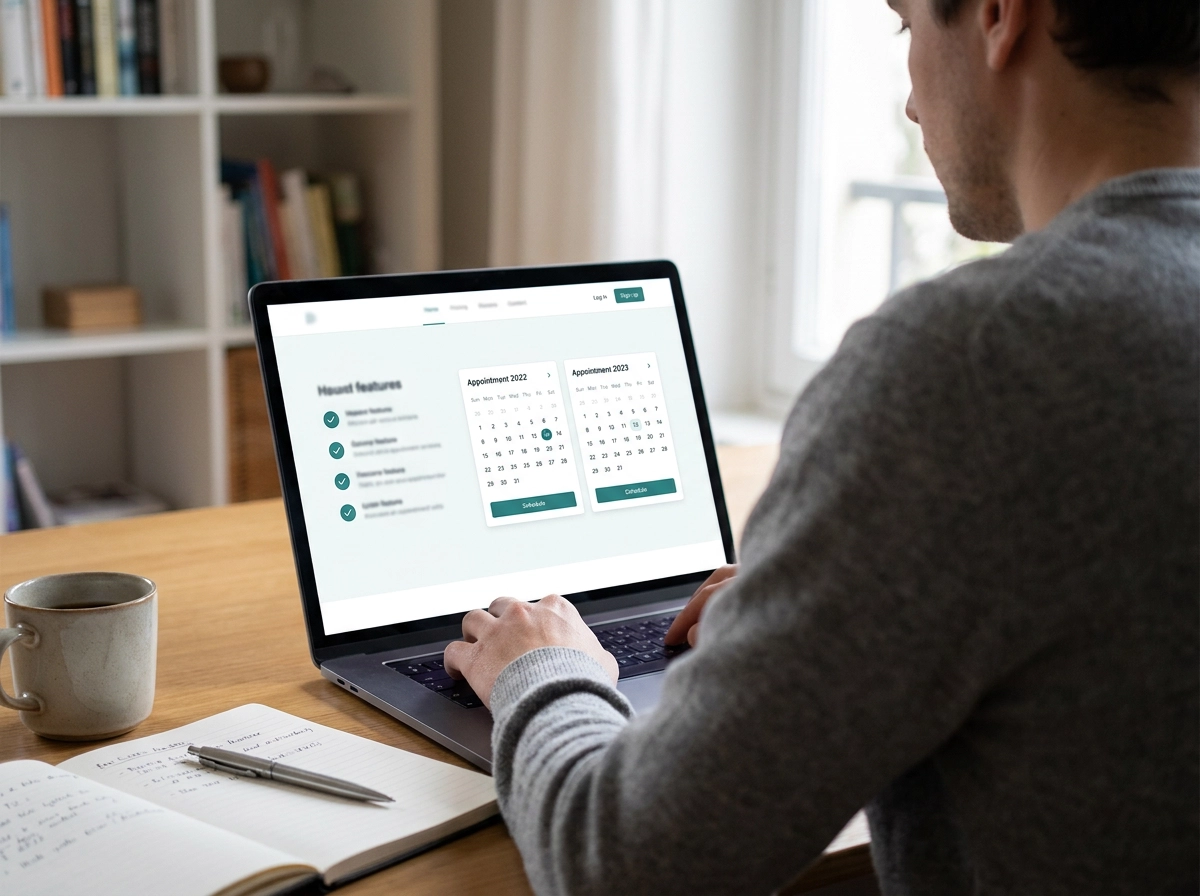
Compare providers on criteria, not advertising. Here are the six: live time slots that respect opening hours, buffers and existing bookings; self-service rescheduling and cancelling; reminders; payment routing to your own processor; one link for brand, services and bookings; and team, calendar and blackout management.
Brand names come second: switching later costs your client history, reminder setup and payment configuration. A cheap trial gets expensive when a provider fails the criterion your niche depends on.
Score each option 1 to 5 per criterion, then weight the two or three you cannot compromise on. A salon with frequent no-shows should weight reminders and deposits heavily; a solo trainer mainly needs self-service changes. For a salon-specific version, see what to check before choosing salon scheduling software.
Live Time Slots That Respect Opening Hours, Buffers and Existing Bookings
"Live" means each slot is built from opening hours, the service duration, the staff member's schedule, buffers and appointments already taken. Change any one and the slots change. Ask any provider: "If two clients pick the same slot at once, what happens?" A page that accepts both is collecting requests, not showing live availability.
Buffers are the turnaround between appointments: cleaning, colour processing in a salon, resetting equipment for a trainer. Ask whether they can be set per service and per staff member, or only once for the business. Availability should appear per person, not as one shared calendar.
The 15-minute test: on a trial account, book two back-to-back appointments with no buffer. Does the second slot disappear? Switch a buffer on and repeat.
Self-Service Rescheduling and Cancelling Without the Phone Tag
A live calendar stops double-bookings. It does not handle changes. A good booking page lets clients move or cancel from the same link they booked with, returning the freed slot to your calendar automatically.
Ask any provider: "Can a client reschedule or cancel online without contacting me, and can I set the minimum notice allowed?" A page that only takes new bookings leaves you fielding every change yourself. Check the controls: notice window, late-cancellation rule, cap on changes, and fees for very late cancellations.
The bigger payoff is revenue, not saved admin time. A client who would have just not shown up now releases the slot, so the time is sellable again. Barbers, nail techs and massage therapists cannot stop mid-service to answer the phone, so self-service is capacity, not a nice-to-have.
Reminders That Reduce No-Shows: What to Check and What Not to Claim
Reminders are your next safety net. Ask a provider: included or a paid extra, which channels, which timings (24 hours, 2 hours), and can you edit wording and sender name?
Watch the evidence. The one credible study here, a 2026 dental review, covers machine learning that flags likely no-shows. It says nothing about reminders and gives no reduction figure, so don't quote a percentage. Simple reminders and self-service changes suffice; predictive modelling isn't needed.
Consent matters for SMS and WhatsApp in New Zealand, Australia, the US and Latin America. New Zealand rules require recorded consent (DIA guidance). Email is the safer default; confirm local rules with your provider instead of assuming. Also ask whether clients must confirm, and what your calendar shows when they don't reply.
Payment Routing: Where Your Money Actually Lands
Reminders keep clients on track, but the money needs attention. Some booking services hold client payments in the provider's own account and pay you later, sometimes taking a cut. Payment routing sends funds straight into your own Stripe or Mercado Pago account, the same place your other card payments land. Ask four questions: who is the merchant of record, when are funds available, who controls refunds, and do you take a commission on top of the processor's fees? For appointment businesses, a deposit taken at booking is one of the few practical ways to protect a high-value slot. It is part of your no-show strategy, not just checkout. In Argentina, Uruguay, Chile, Colombia, Paraguay and Venezuela, Mercado Pago is common; fees and local rules come from the processor, so confirm current terms directly. See how this works in our booking system for cleaners.
One Link for Your Brand, Services and Bookings
Payments sorted. Now the page clients land on. It should hold your logo and colours, a short description, opening hours and location, services with durations and prices, and staff selection. A link on your own domain looks and feels like your business, and it is the version clients trust enough to enter card details on. Keep the journey short: choose service, choose staff, choose time, confirm. Extra fields or pages lose bookings. Most clients book from a phone, so test a one-handed booking on your own device before you commit. Place your link in your Instagram bio, Google Business Profile, WhatsApp auto-reply, email signature, business card and a QR code at the counter. If some clients book in Spanish as well as English, check the page offers both. Our booking system for nail salons covers the practical details.
Team, Calendar and Blackout Dates in One Dashboard
Your team needs one dashboard, not five. Each staff member should have their own calendar, services and working hours, so a client who picks one stylist sees only that stylist's open times.
Blackout dates are the other half. A public holiday, training day, sick day or a fortnight off should block the calendar without you deleting your regular weekly hours and rebuilding them later. Ask whether changes show on the client's page instantly. A delay means bookings you cannot keep.
Then check where you manage it. Owners book appointments between clients, so a phone-friendly dashboard counts as much as a laptop one. Finally, confirm the reports: upcoming appointments, cancellations and no-shows, revenue by service, and which staff member or service fills the calendar best.
What Good Looks Like vs. What to Walk Away From
Your dashboard covers team calendars and blackout dates. The real test is what clients see before they book:
Live availability: Good computes real times from opening hours, buffers and existing bookings. Weak asks clients to "request an appointment" and wait for a callback.
Client changes: Good lets them reschedule or cancel from the same link, within notice rules you set. Weak forces a phone call during business hours.
Reminders: Good includes configurable reminders at timings you choose. Weak charges extra, caps messages, or leaves sending to you.
Payments: Good routes funds to your own Stripe or Mercado Pago account, so you keep each booking's full value. Weak holds your money and takes a commission per appointment.
Presence: Good gives you a branded page on your own domain that works as your website. Weak buries you in a marketplace directory beside competitors.
15-minute decision test: On any trial, run the double-booking, reschedule, reminder and payout checks before you pay.
The Pre-Choose Checklist: Questions to Ask Any Provider
That 15-minute test tells you plenty. For the rest, put these eight questions to any provider in writing:
Availability and rules: "Does availability update the moment a booking is made? Can I set buffers per service and per staff member, and block out holidays?"
Client changes: "Can clients reschedule or cancel within a notice window I set, and does the freed slot return to my calendar automatically?"
Reminders: "Are reminders included in the price, on which channels and timings, and can I edit the wording?"
Payments: "Whose account do payments land in, who is the merchant of record, when are funds available, and what commission applies on top of my processor's fees?"
Pricing and limits: "What's the monthly cost per staff member, what's included, and what counts as a paid extra?"
Your data and your exit: "Can I export my client list, appointment history and service catalogue if I leave?"
Setup and support: "How long does setup take, is migration help included, and who answers when something breaks on a Saturday?"
Fit with your niche: "Do you support how my business actually runs? For example, deposits and colour-processing buffers in a salon, or recurring sessions and package credits for a trainer."
Get the answers in writing, score each provider 1 to 5, and the shortlist sorts itself out.
Where BookrHub Fits These Criteria
BookrHub is one option to score against the checklist, not a verdict. Everything here is BookrHub's own description of its product, so verify it in a trial.
It states each business gets a branded booking page that can work as its whole website, so one link covers brand, services and bookings. Clients pick a service, a staff member and a time slot that updates live against opening hours, buffers and existing bookings, which the company says avoids double bookings. Clients can reschedule or cancel on their own, and BookrHub states email reminders cut no-shows.
Payments go through your own Stripe or Mercado Pago account with zero commission, per the company. Processor fees and local rules still come from the processor, so confirm current terms. Owners manage team, calendar and blackout dates from a web dashboard and iOS and Android apps.
Fit: solo and small-team appointment businesses such as barbers, hair and nail salons, personal trainers, cleaners, massage and spa, medical and dental clinics, groomers and photographers, in New Zealand, Australia, the US and Spanish-speaking Latin America. If you need deep clinical record keeping or complex multi-location enterprise features, check those requirements first.

Next Steps Before You Choose
Whichever option you shortlist, write down the two or three criteria your business cannot compromise on, based on where you actually lose bookings today. Take two trials and run the same four tests on both: attempt a double booking, complete an online reschedule, trigger a reminder, and check a payment payout into your own Stripe or Mercado Pago account.
Set your notice and cancellation policy before launch, and decide whether to take a deposit for your highest-value services. Put your one link everywhere clients already find you, then count no-shows for a month for a real before and after.
If a provider cannot answer the checklist questions plainly, that is your answer. Choose the one that fits how you already work, not the loudest advertising.